Binance API Application
1
Log in to the exchange and open the API section
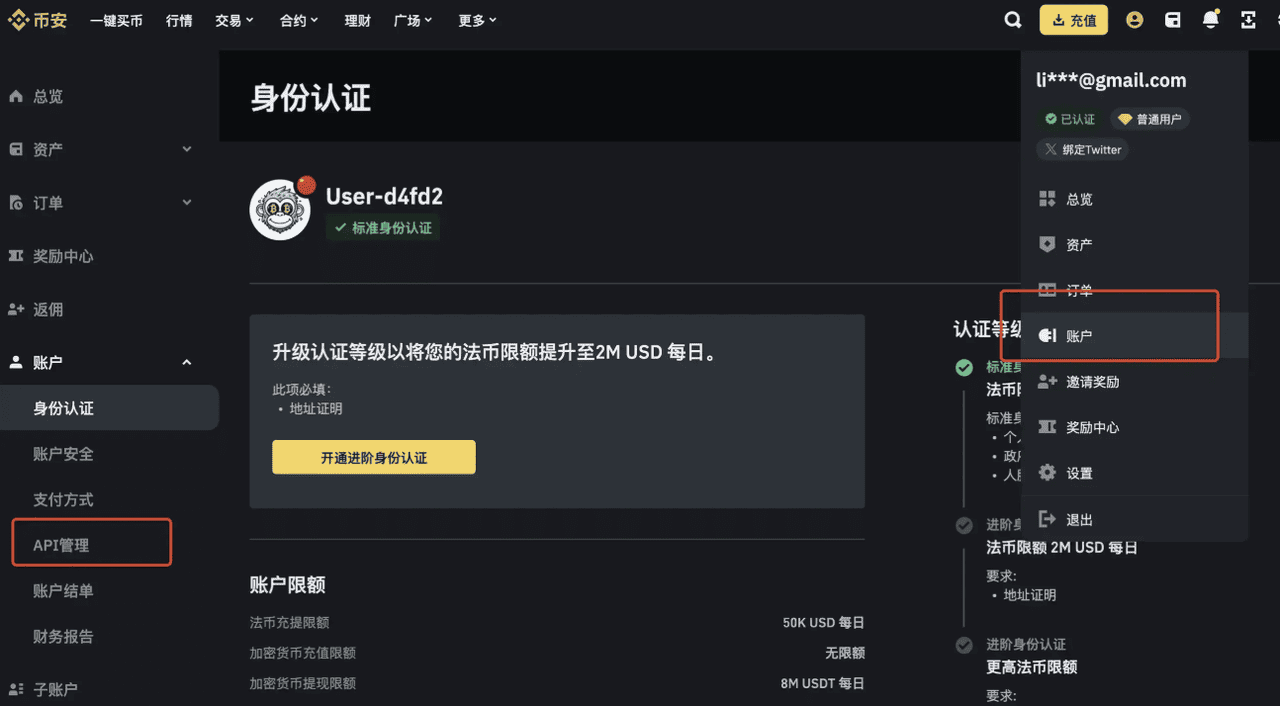
2
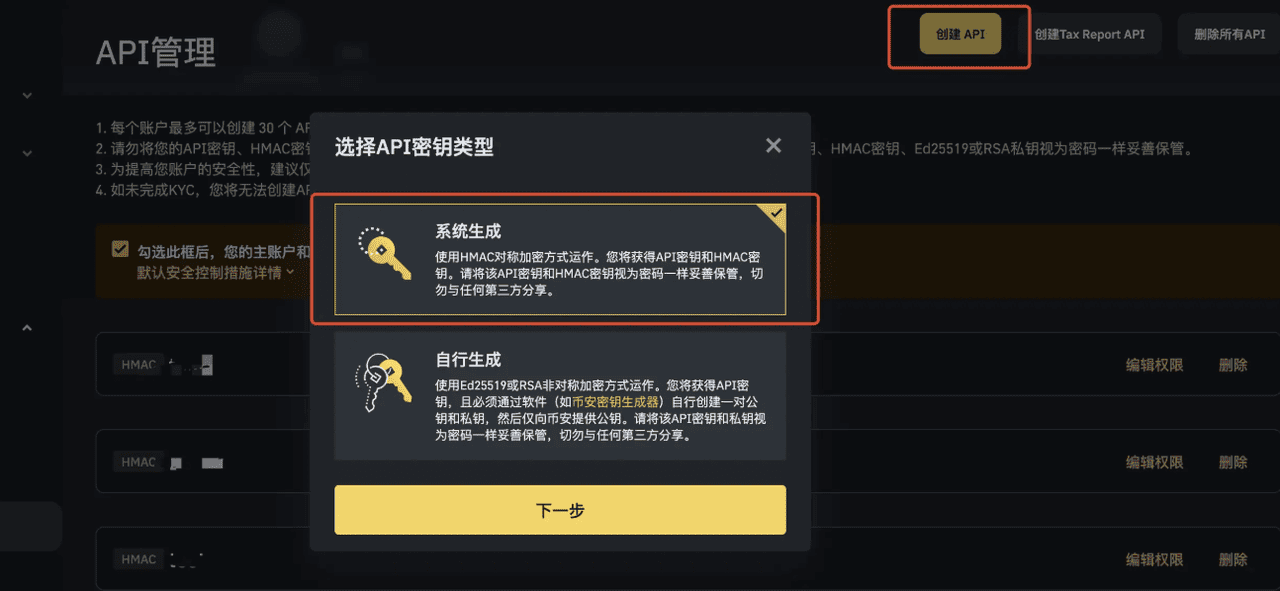
Click Create API
3
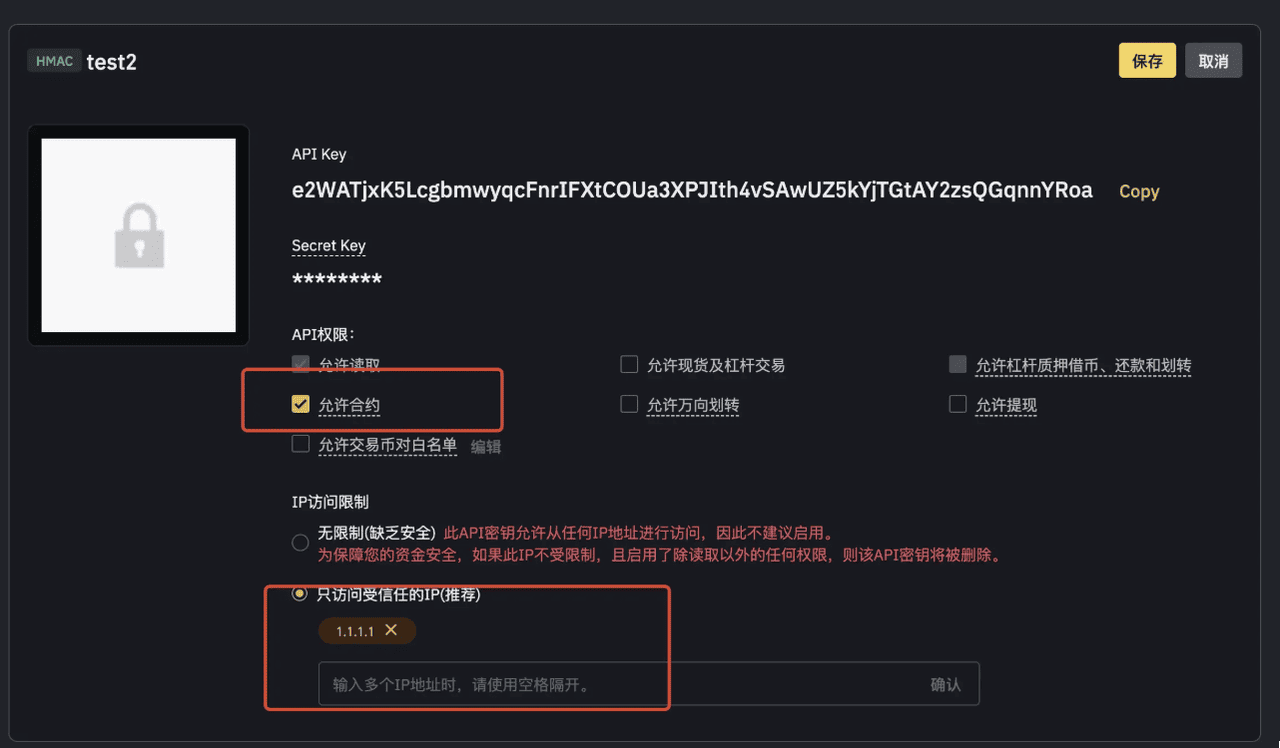
Fill in the API configuration
Note:
If your API page does not match the screenshot and there is no “Enable Futures” option, check whether your Binance account is set to Unified Account. If so, change it to Classic Account under “Account Mode”. Contact Binance support for the exact steps.
4
Save the API information to the CopyApes backend and submit
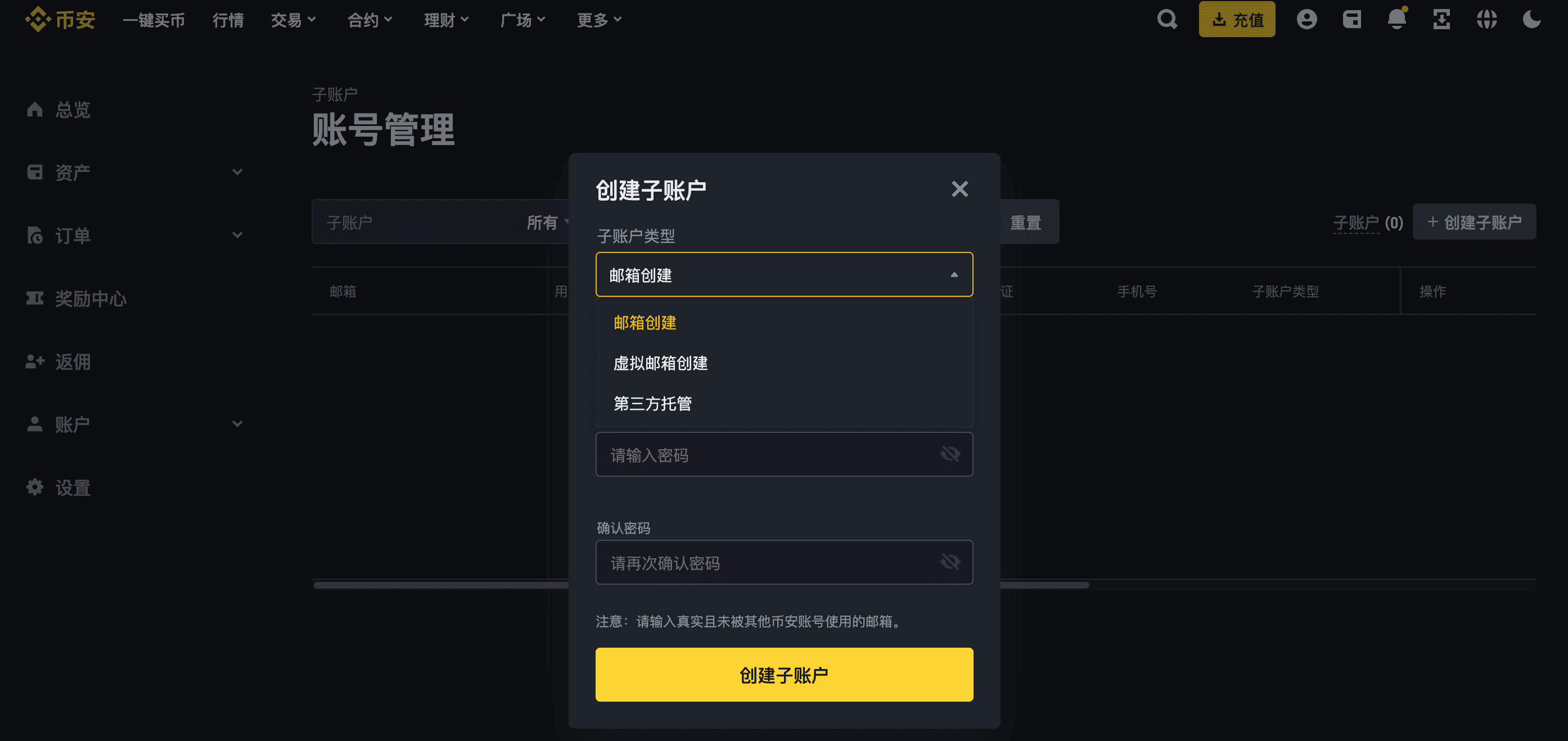
危险:
If you are adding a sub-account API, you must use a sub-account created with an email. During copy trading you can log in to that sub-account anytime for manual management; otherwise you can only operate the account via code, which is very risky. Please follow this strictly!